
-
Grand Future Air Dried Fresh Beef Dog Food
Air Dried Dog Food | Fresh Beef

Carnivore Diet for Dogs

Go Back   Automotive Forums Car Chat > Automotive Art > Car Modeling
Register FAQ Community
Car Modeling Share your passion for car modeling here! Includes sub-forum for "in progress" and "completed" vehicles.
Reply Show Printable Version Show Printable Version | Subscription Subscribe to this Thread
 
Thread Tools
  #1  
Old 12-29-2010, 08:12 PM
blendmik blendmik is offline
AF Newbie
 
Join Date: Dec 2010
Posts: 29
Thanks: 0
Thanked 0 Times in 0 Posts
Send a message via Yahoo to blendmik
First Post photo question

Hey modelers, I tried posting a photo for my first post and I got a red X instead of the pic........how do you post images her?..., thanks!
Reply With Quote
  #2  
Old 12-29-2010, 09:26 PM
Drift F.C's Avatar
Drift F.C Drift F.C is offline
AF Enthusiast
 
Join Date: Jan 2009
Posts: 685
Thanks: 0
Thanked 4 Times in 4 Posts
Re: First Post photo question

If you right click on the image in question and click properties you will see the direct .jpg URL for the image. Copy this by highlighting and copying (CNTRL+C) then paste (CNTRL+V) into the insert image window of the post (click on the yellow icon of the mountain.)

Hope this helps, if not, just post back with a question
__________________
or

2010 QMHE Intermediate Silver - Mini Cooper S
2010 QMHE Intermediate Bronze - 37' Delivery
2011 QMHE Intermediate Silver - Panzer Tank
2011 QMHE Imtermediate Bronze - McLaren M8B
Reply With Quote
  #3  
Old 12-29-2010, 09:56 PM
drunken monkey's Avatar
drunken monkey drunken monkey is offline
Razor Sharp Twit
 
Join Date: Mar 2004
Posts: 5,865
Thanks: 0
Thanked 26 Times in 22 Posts
Re: First Post photo question

first of all, you will need to host your images on an online.
popular choices are imageshack and photobucket.

once that is done, when you are viewing your hosted image in its album, there will be a set of posting codes.
in this case, they're in a box labelled "share this image"


(not my model or my photo - i pulled this screenshot to answer the same question another time)

this is the complete url+img tags of the image that you will want to insert into your posts.

what the "mountain" icon that was mentioned does is put the [img][/img]tags around a url.
as you can see, it is already done for you on the photo host.
__________________
AF's Guidelines

Read them.

__________________


Currently in the process of re-hosting my photos.
If any go missing, drop me a PM.
Reply With Quote
  #4  
Old 12-29-2010, 10:45 PM
blendmik blendmik is offline
AF Newbie
Thread starter
 
Join Date: Dec 2010
Posts: 29
Thanks: 0
Thanked 0 Times in 0 Posts
Send a message via Yahoo to blendmik
Re: First Post photo question

Quote:
Originally Posted by Drift F.C View Post
If you right click on the image in question and click properties you will see the direct .jpg URL for the image. Copy this by highlighting and copying (CNTRL+C) then paste (CNTRL+V) into the insert image window of the post (click on the yellow icon of the mountain.)

Hope this helps, if not, just post back with a question
I'll try that, thanks!
Reply With Quote
  #5  
Old 12-29-2010, 10:48 PM
blendmik blendmik is offline
AF Newbie
Thread starter
 
Join Date: Dec 2010
Posts: 29
Thanks: 0
Thanked 0 Times in 0 Posts
Send a message via Yahoo to blendmik
Re: First Post photo question

Quote:
Originally Posted by drunken monkey View Post
first of all, you will need to host your images on an online.
popular choices are imageshack and photobucket.

once that is done, when you are viewing your hosted image in its album, there will be a set of posting codes.
in this case, they're in a box labelled "share this image"


(not my model or my photo - i pulled this screenshot to answer the same question another time)

this is the complete url+img tags of the image that you will want to insert into your posts.

what the "mountain" icon that was mentioned does is put the [img][/img]tags around a url.
as you can see, it is already done for you on the photo host.
Hey Drunken, thanks. I already have them on my blog, Fotki and in my pc. I will try it again, but it says you can upload from your pc also?
Reply With Quote
  #6  
Old 12-29-2010, 10:53 PM
drunken monkey's Avatar
drunken monkey drunken monkey is offline
Razor Sharp Twit
 
Join Date: Mar 2004
Posts: 5,865
Thanks: 0
Thanked 26 Times in 22 Posts
Re: First Post photo question

i wouldn't recommend using the upload option.
it makes them appear as a pop up here and when there's a lot of photos, it's easier to "read" the page if they're inserted into the post.

if I recall, there's a button on the fotki page that says "share file" that you click.
the url should be posted there.

you can simply copy this into the post and put the [img][/img] tags in yourself or use the "mountain" button and copy url into the dialogue box.
__________________
AF's Guidelines

Read them.

__________________


Currently in the process of re-hosting my photos.
If any go missing, drop me a PM.
Reply With Quote
  #7  
Old 12-29-2010, 11:08 PM
blendmik blendmik is offline
AF Newbie
Thread starter
 
Join Date: Dec 2010
Posts: 29
Thanks: 0
Thanked 0 Times in 0 Posts
Send a message via Yahoo to blendmik
Quote:
Originally Posted by drunken monkey View Post
i wouldn't recommend using the upload option.
it makes them appear as a pop up here and when there's a lot of photos, it's easier to "read" the page if they're inserted into the post.

if I recall, there's a button on the fotki page that says "share file" that you click.
the url should be posted there.

you can simply copy this into the post and put the [img][/img] tags in yourself or use the "mountain" button and copy url into the dialogue box.
Yes, well I got a couple posted ok, but I could'nt post more then one and the second post I got the same pic twice in diff. sizes, so I am still doing something wrong I guess, thanks tho.

Quote:
Originally Posted by Drift F.C View Post
If you right click on the image in question and click properties you will see the direct .jpg URL for the image. Copy this by highlighting and copying (CNTRL+C) then paste (CNTRL+V) into the insert image window of the post (click on the yellow icon of the mountain.)

Hope this helps, if not, just post back with a question
I got a couple up, not correct yet, but at least they are on the post.......grrrrrr..thanks tho!

Quote:
Originally Posted by Drift F.C View Post
If you right click on the image in question and click properties you will see the direct .jpg URL for the image. Copy this by highlighting and copying (CNTRL+C) then paste (CNTRL+V) into the insert image window of the post (click on the yellow icon of the mountain.)

Hope this helps, if not, just post back with a question
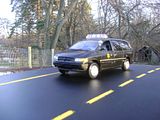
I tried that and as you can see got on or two up somewhat okay, but the Ford I posted came out tiny when you click on the link to Fotki. I'd like to show them like the ICE Truck.........grrrrrrrrrr.

Quote:
Originally Posted by drunken monkey View Post
i wouldn't recommend using the upload option.
it makes them appear as a pop up here and when there's a lot of photos, it's easier to "read" the page if they're inserted into the post.

if I recall, there's a button on the fotki page that says "share file" that you click.
the url should be posted there.

you can simply copy this into the post and put the [img][/img] tags in yourself or use the "mountain" button and copy url into the dialogue box.
I guess I did something wrong again because the Ford pics with a link all came out tiny with little squares around it.........one of these days I guess.....grrrrrrrrr...

TEST:


grrrrrrrrrrrrrrrrrrrrr!!!!

TEST 2 :

Last edited by drunken monkey; 01-02-2011 at 03:29 PM. Reason: back to back posting consolidation
Reply With Quote
  #8  
Old 01-02-2011, 03:28 PM
drunken monkey's Avatar
drunken monkey drunken monkey is offline
Razor Sharp Twit
 
Join Date: Mar 2004
Posts: 5,865
Thanks: 0
Thanked 26 Times in 22 Posts
Re: First Post photo question

once again, because you are clearly not doing what I said.

in photobucket, when you are viewing an image, on the right hand side is a little box that says share this photo.
in that box look for the one that says IMG code.
when you click it, it automatically copies it (it even says so when you click it)

use this in your posts to insert the image.
you do not need to do anything to this copied code except paste it into your post.

do not right click - properties as it doesn't always give you the correct url.
when you use the IMG code, do not use the insert image icon (the little mountain).
__________________
AF's Guidelines

Read them.

__________________


Currently in the process of re-hosting my photos.
If any go missing, drop me a PM.
Reply With Quote
  #9  
Old 01-02-2011, 09:29 PM
blendmik blendmik is offline
AF Newbie
Thread starter
 
Join Date: Dec 2010
Posts: 29
Thanks: 0
Thanked 0 Times in 0 Posts
Send a message via Yahoo to blendmik
Re: First Post photo question

Quote:
Originally Posted by drunken monkey View Post
once again, because you are clearly not doing what I said.

in photobucket, when you are viewing an image, on the right hand side is a little box that says share this photo.
in that box look for the one that says IMG code.
when you click it, it automatically copies it (it even says so when you click it)

use this in your posts to insert the image.
you do not need to do anything to this copied code except paste it into your post.

do not right click - properties as it doesn't always give you the correct url.
when you use the IMG code, do not use the insert image icon (the little mountain).
Sorry for inconveniencing you again and thanks for your re-up on the instructions.
Reply With Quote
  #10  
Old 01-02-2011, 09:41 PM
blendmik blendmik is offline
AF Newbie
Thread starter
 
Join Date: Dec 2010
Posts: 29
Thanks: 0
Thanked 0 Times in 0 Posts
Send a message via Yahoo to blendmik
Re: First Post photo question

Quote:
Originally Posted by drunken monkey View Post
once again, because you are clearly not doing what I said.

in photobucket, when you are viewing an image, on the right hand side is a little box that says share this photo.
in that box look for the one that says IMG code.
when you click it, it automatically copies it (it even says so when you click it)

use this in your posts to insert the image.
you do not need to do anything to this copied code except paste it into your post.

do not right click - properties as it doesn't always give you the correct url.
when you use the IMG code, do not use the insert image icon (the little mountain).
Worked perfect this time...check it out. Thanks for your patience.
Reply With Quote
 
Similar Threads
Thread Thread Starter Forum Replies Last Post
First post and questions about airbrushing Chieflongshin Car Modeling 4 09-17-2010 04:08 PM
First Post - Introduction/Question FellintoOblivion General Discussions 3 09-10-2005 07:45 PM
First post on new board and guages question Bleebdat '88 - '91 Civic | CRX | Wagon | Shuttlee 14 07-25-2005 10:01 PM
My first post, noob question SkunkMonkeY Integra 8 10-12-2003 02:53 PM
First post!! Important question about engine swap kane_abel '88 - '91 Civic | CRX | Wagon | Shuttlee 10 06-16-2002 12:50 AM

Reply

POST REPLY TO THIS THREAD

Go Back   Automotive Forums Car Chat > Automotive Art > Car Modeling


Posting Rules
You may not post new threads
You may not post replies
You may not post attachments
You may not edit your posts

BB code is On
Smilies are On
[IMG] code is On
HTML code is Off


All times are GMT -5. The time now is 06:10 AM.

Community Participation Guidelines | How to use your User Control Panel

Powered by: vBulletin | Copyright Jelsoft Enterprises Ltd.
 
 
no new posts

