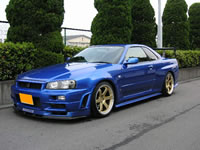
|
| Search | Car Forums | Gallery | Articles | Helper | Air Dried Fresh Beef Dog Food | IgorSushko.com | Corporate |
|
|||||||
| Graphic Manipulation Post and discuss different automotive art works- photoshopped, 3d graphics, and hand-drawn. |
 |
 Show Printable Version | Show Printable Version |  Subscribe to this Thread
|
|
|
Thread Tools |
|
#1
 04-05-2003, 09:09 AM
|
||||
|
||||
|
Round 2 Now tring a civic
well here is my friends civic before and after....
Before  and After 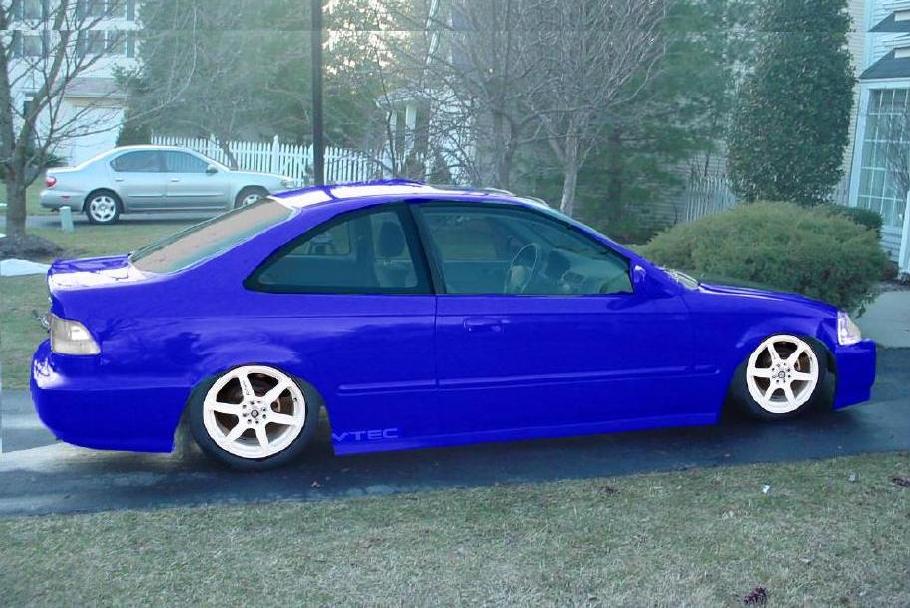 thanks and comments are welcome -RaceMySS_454 
__________________
Remember....if it has to do with Woman,Wings,or Wheels...theres bound to be trouble. 

|
|
#2
04-05-2003, 09:19 AM
|
||||
|
||||
|
turn your saturation down and it'll glow less.. and I'm assuming you copied and pasted the layer, then erased what wasn't car body.. zoom in more so you get more accurate eraser lines, and also use your eraser at full hardness so you don't get the glowing effect. on the rims, again.. zoom in to get more accurate lines, and you might want to consider using the same tires that came from the pic of the wheels so they match the tires as far as brightness goes. Crop the top part of the picture from the lowering so you don't see double at the top, and keep in mind that the front wheel and back wheel are slightly different size/darkness.. that will keep them realistic looking. Overall, good start. Keep practicing. Practice will get you the really good chops.
|
|
#3
04-05-2003, 09:20 AM
|
||||
|
||||
|
good tint but next time please save it in higher quality so we can see more clearly what u did.
|
|
#4
04-05-2003, 10:13 AM
|
||||
|
||||
|
Quote:
 check some tutorials www.digimods.co.uk www.photoshopjunkie.com www.photo-chop.com www.chop-it-up.com
|
|
|
POST REPLY TO THIS THREAD |
 |
|
|