-
Grand Future Air Dried Fresh Beef Dog Food
Air Dried Dog Food | Fresh Beef

Carnivore Diet for Dogs

Go Back   Automotive Forums Car Chat > Pontiac > Bonneville
Register FAQ Community
Reply Show Printable Version Show Printable Version | Subscription Subscribe to this Thread
 
Thread Tools
  #1  
Old 06-12-2008, 11:03 AM
thebrug thebrug is offline
AF Newbie
 
Join Date: Jun 2006
Posts: 34
Thanks: 0
Thanked 0 Times in 0 Posts
2000 Bonneville trunk release

My trunk release won't work on my 2000 Bonneville. I checked the relay in the fuse box and it is good. Any other ideas.
thanks
Reply With Quote
  #2  
Old 06-12-2008, 02:54 PM
maxwedge maxwedge is offline
A990 racer
 
Join Date: Mar 2002
Posts: 17,063
Thanks: 26
Thanked 383 Times in 374 Posts
Re: 2000 Bonneville trunk release

Try checking for continuity across the switch, connections in the trunk.
__________________
Reply With Quote
  #3  
Old 06-24-2008, 05:25 PM
03CavyMan 03CavyMan is offline
AF Newbie
 
Join Date: Feb 2006
Posts: 72
Thanks: 0
Thanked 0 Times in 0 Posts
Send a message via AIM to 03CavyMan Send a message via MSN to 03CavyMan
Re: 2000 Bonneville trunk release

Have you tried from both the remote and the switch? Unplug the connector at the actuator in the truck and put a testlight across it from one terminal to the other (ground wire on one and test prob on the other, hit the switch and try it from the remote, if it lights up from both you need an actuator. If not you have a wiring problem
__________________
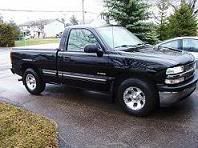
2000 Chevrolet Silverado Regular Cab Short Box
4.3L Vortec - 5 speed
Ion Alloy 16x8" chrome wheels
Magnaflow Catback Exhaust
K&N Intake, Throttle Body Spacer
GM Automotive Technician
Previously - 2003 Chevrolet Cavalier
Reply With Quote
 
Reply

POST REPLY TO THIS THREAD

Go Back   Automotive Forums Car Chat > Pontiac > Bonneville


Posting Rules
You may not post new threads
You may not post replies
You may not post attachments
You may not edit your posts

BB code is On
Smilies are On
[IMG] code is On
HTML code is Off


All times are GMT -5. The time now is 03:28 AM.

Community Participation Guidelines | How to use your User Control Panel

Powered by: vBulletin | Copyright Jelsoft Enterprises Ltd.
 
 
no new posts