

|
| Search | Car Forums | Gallery | Articles | Helper | Air Dried Fresh Beef Dog Food | IgorSushko.com | Corporate |
|
|||||||
| COMPLETELY off-topic Talk about anything other than cars. But you can't be mad and angry in this forum! |
 |
 Show Printable Version | Show Printable Version |  Subscribe to this Thread
|
|
|
Thread Tools |
|
#1
 01-18-2008, 11:02 PM
|
||||
|
||||
|
New problem...
Like the old saying goes, "When it rains, it pours." Now my son's computer is acting up. Here's a little history leading up to the problem:
My son was complaining his computer seemed slow, so I ran a program I installed on his computer when he got it called Diskeeper Lite. After analyzing the computer, the program told me it was heavily fragmented and recommended a defrag at this time. I started the defragging and had to leave to pick my daughter up at school. I was gone about a half an hour and when I came back it was at 25% defragged. It never has taken this long before I thought. I couldn't stop the program or cancel out of it and I also couldn't open any other program. So I hit the button on the tower to shut it down. I waited a bit and tried to restart the computer. A blue screen appeared and told me it detected a problem with a program, ( it mentioned either a anti virus, or defragging program.) It said to try and restart the computer in which I did and still got the blue screen with the same message. It mentioned to start the computer, disable the program in question, and restart the computer. Herein lies my problem. How do I get past that blue screen to try and disable the programs to see if that is what is causing the problem? I tried to start it in safe mode, regularly, and the last known good configuration. It also mentioned that I should "Run" CHKDSK/F which I cannot do because I can't get beyond the blue screen. I've tried other possibilities and combinations that were available as choices and still nothing. Can someone offer some advice as to what I could do to solve this issue? Thank you.
__________________
Thought for the Day… Alcohol does not make you fat - It makes you lean... against tables, chairs, floors, walls and ugly people.  If a prostitute here in America loses her job to a prostitute in India , is that considered "outwhoring"??-Jay Leno 
|
|
#2
01-18-2008, 11:59 PM
|
||||
|
||||
|
Re: New problem...
In the same screen as where you select Safe Mode, there should be an option "Disable automatic restart on failure". If not, boot into safe mode, right click My Computer, Properties, Advanced, Startup and Recovery and under System Failure, untick Automatically restart.
If you still can't get into Windows, boot into safe mode again and run "msconfig" and select Diagnostic Startup. This should allow Windows to boot normally and you can uninstall the suspect software.
__________________
Quote:
|
|
#3
01-25-2008, 12:12 AM
|
||||
|
||||
|
Re: New problem...
I couldn't get out of that blue screen and ended up taking his computer to my nephew's house since their neighbor works with computers and she couldn't do anything either. So Sunday I called a repair service and they sent a guy over to diagnose it and he repaired it within an hour. He ended up having to wipe everything off the hard drive so technically my son's computer is like he had it on day one. He thinks what happened is a problem with the aftermarket defragger I was using (Diskeeper Lite). He said you really can't shut a computer down during a defragging operation with a program like Diskeeper as it can corrupt files. When I couldn't close out of Diskeeper that day and was unable to open any new programs , I shut the computer down and tried to restart it. That was where I went wrong. He recommended I just stick with the defragger Windows has on their system as he has never seen any issues with anyone using that one.
__________________
Thought for the Day… Alcohol does not make you fat - It makes you lean... against tables, chairs, floors, walls and ugly people. If a prostitute here in America loses her job to a prostitute in India , is that considered "outwhoring"??-Jay Leno
|
|
#4
01-25-2008, 05:56 PM
|
||||
|
||||
|
Re: New problem...
Yeah, you probably corrputed an important system file or equivalent when you rebooted. I've had those "blue screens" many times and have fixed them with both methods, replacing the corrupted file and wiping the HD clean.
__________________
1998 Chevrolet Blazer LT (95% stock)  Pioneer AVH-P7500 DVD receiver 12" Alpine Type-R in a sealed box PIAA Super Plasmas GT-X bulbs PIAA Xtreme White bulbs K & N drop-in filter 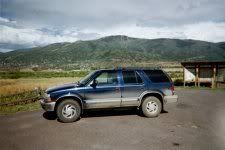  "Melo" and "AI". Enough said. "Melo" and "AI". Enough said.
|
|
|
POST REPLY TO THIS THREAD |
 |
|
|








