
-
Grand Future Air Dried Fresh Beef Dog Food
Air Dried Dog Food | Fresh Beef

Carnivore Diet for Dogs

Go Back   Automotive Forums Car Chat > Coffee Break (Off-Topic) > COMPLETELY off-topic
Register FAQ Community
COMPLETELY off-topic Talk about anything other than cars. But you can't be mad and angry in this forum!
Reply Show Printable Version Show Printable Version | Subscription Subscribe to this Thread
 
Thread Tools
  #1  
Old 07-06-2007, 07:36 PM
Dyno247365's Avatar
Dyno247365 Dyno247365 is offline
AF Enthusiast
 
Join Date: Jul 2005
Posts: 2,858
Thanks: 0
Thanked 0 Times in 0 Posts
Canon software doesn't work

I have a Powershot A570 IS digital camera, and I installed the software both on my old Emachines laptop and my new Gateway desktop, and it only works on my old laptop, but it says it's not connected on my desktop (even though a I hear a'connect' noise). Now I'd use my laptop instead but it's 200 miles away at my parent's house...so...only one option..fix my pc to work with the software, any ideas?
__________________
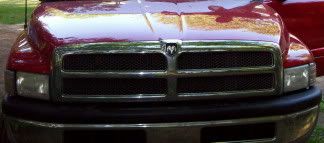

1996 Dodge Ram 1500 5.2L 5spd!!!
1987 Chevy Iroc-Z- -Needs a new cat
1992 Nissan 240sx 5spd- SOLD
Reply With Quote
  #2  
Old 07-06-2007, 07:43 PM
ericn1300's Avatar
ericn1300 ericn1300 is offline
AF Premium User
 
Join Date: Jun 2005
Posts: 2,068
Thanks: 7
Thanked 27 Times in 27 Posts
Re: Canon software doesn't work

What O/S? XP and Vista should handle the transfer without the Cannon software.
Reply With Quote
  #3  
Old 07-06-2007, 07:55 PM
Dyno247365's Avatar
Dyno247365 Dyno247365 is offline
AF Enthusiast
Thread starter
 
Join Date: Jul 2005
Posts: 2,858
Thanks: 0
Thanked 0 Times in 0 Posts
Re: Canon software doesn't work

Quote:
Originally Posted by ericn1300
What O/S? XP and Vista should handle the transfer without the Cannon software.
XP Media Center 2005, is that what my problem is?
__________________


1996 Dodge Ram 1500 5.2L 5spd!!!
1987 Chevy Iroc-Z- -Needs a new cat
1992 Nissan 240sx 5spd- SOLD
Reply With Quote
  #4  
Old 07-07-2007, 02:38 AM
l_eclipse_l's Avatar
l_eclipse_l l_eclipse_l is offline
AF Enthusiast
 
Join Date: Jan 2005
Posts: 3,772
Thanks: 0
Thanked 0 Times in 0 Posts
Re: Canon software doesn't work

Does your computer do anything when you plug the camera in besides make noise? You shouldn't need that crappy Canon software, XP has built-in capabilities to transfer from a camera. Basicly you just plug it in, let it find the driver and install it, and it will ask you what you want to do. No Canon software to deal with.
__________________
'92 3000gt SL

Zoom Stage 1 Clutch

Quote:
Originally Posted by kjewer1
I disagree. Better is better. Bigger is just bigger.

I just made that up, and I like it.
Reply With Quote
  #5  
Old 07-07-2007, 06:58 PM
ericn1300's Avatar
ericn1300 ericn1300 is offline
AF Premium User
 
Join Date: Jun 2005
Posts: 2,068
Thanks: 7
Thanked 27 Times in 27 Posts
Re: Canon software doesn't work

Quote:
Originally Posted by l_eclipse_l
Does your computer do anything when you plug the camera in besides make noise? You shouldn't need that crappy Canon software, XP has built-in capabilities to transfer from a camera. Basicly you just plug it in, let it find the driver and install it, and it will ask you what you want to do. No Canon software to deal with.
Eclipse is right, but some cameras just come up as a removable storage device. run your mouse pointer over the usb device in the lower left side of the task bar and see what it comes up as. if its a removable storage device you can use windows explorer to open the pics by double clicking on them or drag and them to the directory you want them in. My favortite pic viewer is Ifran Viewer, freeware available here: http://www.irfanview.net/
Reply With Quote
  #6  
Old 07-10-2007, 01:20 AM
Oz's Avatar
Oz Oz is offline
Aussie Mod
 
Join Date: Dec 2001
Posts: 13,239
Thanks: 0
Thanked 2 Times in 2 Posts
Send a message via AIM to Oz
Re: Canon software doesn't work

Plug it in, then open Disk Management (right click My Computer, Manage, Disk Management)

Check for any problems on the "new" drive (camera storage) in the bottom right pane.
__________________
Quote:
Originally Posted by RaeRae1
Blessed are the cracked ones for they are the ones that let in the light.
Reply With Quote
  #7  
Old 07-23-2007, 10:00 PM
Dyno247365's Avatar
Dyno247365 Dyno247365 is offline
AF Enthusiast
Thread starter
 
Join Date: Jul 2005
Posts: 2,858
Thanks: 0
Thanked 0 Times in 0 Posts
Re: Canon software doesn't work

Sorry I've been really busy, it counts as an imaging device- digital still camera in the device manager. I don't know how to access it. I removed every bit of Canon software but I think I'm gonna try downloading the driver online.
__________________


1996 Dodge Ram 1500 5.2L 5spd!!!
1987 Chevy Iroc-Z- -Needs a new cat
1992 Nissan 240sx 5spd- SOLD
Reply With Quote
  #8  
Old 07-23-2007, 11:22 PM
Oz's Avatar
Oz Oz is offline
Aussie Mod
 
Join Date: Dec 2001
Posts: 13,239
Thanks: 0
Thanked 2 Times in 2 Posts
Send a message via AIM to Oz
Re: Canon software doesn't work

Change the drive letter assigned to it in Disk Management (right click the device, Change drive letters and paths).
__________________
Quote:
Originally Posted by RaeRae1
Blessed are the cracked ones for they are the ones that let in the light.
Reply With Quote
  #9  
Old 07-24-2007, 07:50 AM
Dyno247365's Avatar
Dyno247365 Dyno247365 is offline
AF Enthusiast
Thread starter
 
Join Date: Jul 2005
Posts: 2,858
Thanks: 0
Thanked 0 Times in 0 Posts
Re: Canon software doesn't work

Quote:
Originally Posted by Oz
Change the drive letter assigned to it in Disk Management (right click the device, Change drive letters and paths).
I'm sorta confused but let me assure you the imaging device is not seen by the disk management.

It just has my C drive, a bunch of removable disks that don't change when I turn on my camera, and my DVD Roms.
__________________


1996 Dodge Ram 1500 5.2L 5spd!!!
1987 Chevy Iroc-Z- -Needs a new cat
1992 Nissan 240sx 5spd- SOLD

Last edited by Dyno247365; 07-24-2007 at 09:32 AM.
Reply With Quote
 
Reply

POST REPLY TO THIS THREAD

Go Back   Automotive Forums Car Chat > Coffee Break (Off-Topic) > COMPLETELY off-topic


Posting Rules
You may not post new threads
You may not post replies
You may not post attachments
You may not edit your posts

BB code is On
Smilies are On
[IMG] code is On
HTML code is Off


All times are GMT -5. The time now is 04:21 PM.

Community Participation Guidelines | How to use your User Control Panel

Powered by: vBulletin | Copyright Jelsoft Enterprises Ltd.
 
 
no new posts



