

|
| Search | Car Forums | Gallery | Articles | Helper | Air Dried Fresh Beef Dog Food | IgorSushko.com | Corporate |
|
#1
 03-08-2005, 11:19 PM
|
|||
|
|||
|
computer help
i have one of the original reprogrammed computers sold from grand prix store, now part of pfyc.com
the computer isnt the dhp or any other they never named them really anyway all of a sudden i am experiencing dtc p 1676 which according to manuals is an aux contact code it is setting my check engine light but when i drive the car it is fine and when i hook it to the autotap everything is normal.. basicly the light is just annoying and i was wondering if anyone else with these reprogrammed computers have had this problem and if can fix it without 1. changing back to stock computer (which doesnt set code) or 2. buying the dhp or other computer. thanks
__________________

|
|
#2
03-08-2005, 11:34 PM
|
||||
|
||||
|
Re: computer help
Quote:
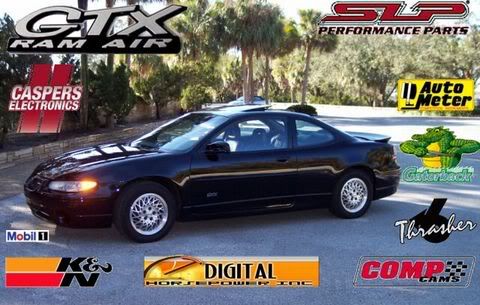
Now I want to know; You white Ins. panel. Does it have Per. Shift? If so, where did you get it. Everyone have have seen doesn't have it.
__________________
|
|
#3
03-09-2005, 10:33 AM
|
||||
|
||||
|
Re: computer help
Well you might try this and see if any of it will help,but I see that it say's P1676 Driver 4 Line 6 (this is for W-Body cars).Ive had the GPS PCM in mine since 01 with out any problem's at all.
Circuit Description Output Driver Modules (ODMs) are used by the PCM to turn on many of the current-driven devices that are needed to control various engine and Transaxle functions. Each ODM is capable of controlling up to 7 separate outputs by applying ground to the device which the PCM is commanding ON. Unlike the Quad Driver Modules (QDMs) used in prior model years, ODMs have the capability of diagnosing each output circuit individually. DTC P1676 set indicates an improper voltage level has been detected on the output circuit which controls the EVAP purge solenoid. Conditions for Setting the DTC The ignition is ON. An improper voltage level has been detected on the output circuit which controls the EVAP purge solenoid. The above conditions are present for at least 30 seconds. Action Taken When the DTC Sets The PCM will illuminate the MIL during the second consecutive trip in which the diagnostic test has been run and failed. The PCM will store conditions which were present when the DTC set as Freeze Frame and Fail Records data. Conditions for Clearing the MIL/DTC The PCM will turn the MIL OFF during the third consecutive trip in which the diagnostic has been run and passed. The history DTC will clear after 40 consecutive warm-up cycles have occurred without a malfunction. The DTC can be cleared by using the scan tool Clear Info function or by disconnecting the PCM battery feed. Diagnostic Aids Check for the following conditions: Poor connection at the PCM. Inspect harness connectors for backed out terminals, improper mating, broken locks, improperly formed or damaged terminals, and poor terminal to wire connection. Damaged harness. Inspect the wiring harness for damage. If the harness appears to be OK, disconnect the PCM, turn the ignition ON and observe a voltmeter connected between the EVAP purge solenoid control circuit and ground at the PCM harness connector while moving connectors and wiring harnesses related to the EVAP purge solenoid. A change in voltage will indicate the location of the malfunction. Reviewing the Fail Records vehicle mileage since the diagnostic test last failed may help determine how often the condition that caused the DTC to be set occurs. This may assist in diagnosing the condition. Test Description Number(s) below refer to the step number(s) on the Diagnostic Table. Normally, ignition feed voltage should be present on the control circuit with the PCM disconnected and the ignition turned ON. Checks for a shorted component or a short to B+ on the control circuit. Either condition would result in a measured current of over 500 milliamps. Also checks for a component that is going open while being operated, resulting in a measured current of 0 milliamps. Checks for a short to voltage on the control circuit. This vehicle is equipped with a PCM which utilizes an Electrically Erasable Programmable Read Only Memory (EEPROM). When the PCM is being replaced, the new PCM must be programmed. DTC P1676 -- EVAP Canister Purge Solenoid Control CKT Step Action Value(s) Yes No 1 Was the Powertrain On-Board Diagnostic (OBD) System Check performed? -- Go to Step 2 Go to the A Powertrain On Board Diagnostic (OBD) System Check 2 Turn OFF the ignition switch. Disconnect the PCM. Turn ON the ignition switch. Using a J 39200 Digital Multimeter, measure voltage between the EVAP purge valve control circuit at the PCM harness connector and ground. Is voltage near the specified value? B+ Go to Step 3 Go to Step 6 3 Connect the digital multimeter to measure current between the EVAP purge valve control circuit at the PCM harness connector and ground. Monitor the current reading on the digital multimeter for at least 2 minutes. Does the current reading remain between the specified values? 0.05-0.5 amps (50-500 mA) Go to Step 11 Go to Step 4 4 Turn OFF the ignition switch. Disconnect the EVAP purge valve (leave the PCM disconnected). Turn ON the ignition switch. Using the digital multimeter, measure voltage between the EVAP purge valve control circuit and ground. Is voltage at the specified value? 0 V Go to Step 10 Go to Step 5 5 Locate and repair short to voltage in the EVAP purge valve control circuit. Refer to Wiring Repairs in Wiring Systems. Is action complete? -- Go to Step 16 -- 6 Check the ignition feed fuse for the EVAP purge valve. Is the fuse blown? -- Go to Step 7 Go to Step 8 7 Locate and repair short to ground in ignition feed circuit for the EVAP purge valve. Refer to Wiring Repairs in Wiring Systems. Replace the fuse. Is action complete? -- Go to Step 16 -- 8 Disconnect the EVAP purge valve. Turn ON the ignition switch. Measure voltage between the ignition feed circuit for the EVAP purge valve and ground. Is voltage near the specified value? B+ Go to Step 9 Go to Step 13 9 Check the EVAP purge valve control circuit for an open or a short to ground. If a problem is found, repair the EVAP purge valve control circuit. Refer to Wiring Repairs in Wiring Systems. Was a problem found? -- Go to Step 16 Go to Step 10 10 Check for the following conditions: The EVAP purge valve control circuit for a poor connection at the PCM. The EVAP purge valve control circuit for a poor connection at EVAP purge valve. The EVAP purge valve ignition feed circuit for a poor connection at the EVAP purge valve. If a problem is found, replace loose terminal(s) as necessary. Refer to Wiring Repairs in Wiring Systems. Was a problem found? -- Go to Step 16 Go to Step 14 11 Turn OFF the ignition switch. Reconnect the PCM. Disconnect the EVAP purge valve. Turn ON the ignition switch. Connect a test light between the EVAP purge valve control circuit and the ignition feed circuit at the EVAP purge valve harness connector. Using the scan tool outputs test function, cycle the EVAP purge solenoid output ON and OFF. Does the test light flash ON and OFF? -- Go to Diagnostic Aids Go to Step 12 12 Check the EVAP purge valve control circuit for a poor connection at the PCM. If a problem is found, replace loose terminal. Refer to Wiring Repairs in Wiring Systems. Was a problem found? -- Go to Step 16 Go to Step 15 13 Locate and repair open in ignition feed circuit to the EVAP purge valve. Refer to Wiring Repairs in Wiring Systems. Is action complete? -- Go to Step 16 -- 14 Replace the EVAP purge valve. Refer to EVAP Canister Purge Valve Replacement . Is action complete? -- Go to Step 16 -- 15 Important: Replacement PCM must be programmed. Refer to PCM Replacement/Programming . Replace the PCM. Refer to PCM Replacement/Programming . Is action complete? -- Go to Step 16 -- 16 Review and record scan tool Fail Records data. Clear DTCs. Operate the vehicle within Fail Records conditions. Using a scan tool, monitor Specific DTC info for DTC P1676 until the DTC P1676 test runs. Does the scan tool indicate DTC P1676 failed this ign? -- Go to Step 2 System OK
__________________
 ClubGP Member 6530 Since 2001
|
|
#4
03-09-2005, 10:49 AM
|
||||
|
||||
|
Re: computer help
Larry,
You stil need to write that book.
__________________
|
|
#5
03-09-2005, 11:04 PM
|
|||
|
|||
|
Re: Re: computer help
Quote:
as for the instrument panel, thats actually silver and gages are blue lit its an over lay to place over stock panel, i do have white face gages that i originally put on before the silver those i had to rip out the stock ones to put in but im not sure about the performance shift your talking about the white panel and the silver one have been in the car so long i dont remember ever seeing a light on the stock ins panel or not??, i just look at the DIC to know when its on performance shift
__________________
|
|
#6
03-09-2005, 11:07 PM
|
|||
|
|||
|
larry,
thanks for the information btw you sound just like the gm tech manuals for these cars been trying to get a set of them but cant seem to find them if you know where i can without paying dealer prices please let me know
__________________
|
|
#7
03-10-2005, 09:45 AM
|
||||
|
||||
|
Re: computer help
The service manual is about 130 bucks,but you can keep an eye out for one on Ebay and the key words are ( gm service manual ).I just checked and they dont have one listed at this time.The best ones,are the full CD set.
~Larry~
__________________
ClubGP Member 6530 Since 2001
|
|
 |
POST REPLY TO THIS THREAD |
 |
|
|







