

|
| Search | Car Forums | Gallery | Articles | Helper | Air Dried Fresh Beef Dog Food | IgorSushko.com | Corporate |
|
#1
 08-14-2006, 09:03 PM
|
|||
|
|||
|
radio issue 2003 bonn SLE
Thanks in advance for the opportunity to ask for and receive feedback.
Have had no problems with the car since purchasing new in 2003. However the last month or so I periodically have problems with the radio...both am and fm, in particular, the digital tuning. On its own, while listening, the frequency and/or signal LEDs will fade in and out.......ex. listening to 95.0 and it will go to 95.2 or 94.8 etc etc......or simply just go in and out. Just for a breif second. The equalizer lights dont completely go out, but will break up partially as well. I don not have XM radio, or had any tint installed etc. Frustrating as heck but hopefully someone here can assist. Feel free to reply here and/or to me directly at my email address. Thanks D 
|
|
#2
08-16-2006, 07:38 PM
|
||||
|
||||
|
Re: radio issue 2003 bonn SLE
This is really a shot in the dark, not sure if it will help. Try removing the Audio fuse #21 in the rear fuse block, then re-insert fuse after a minute or so. Welcome to Automotive Forums.
__________________
Mark 2003 Pontiac Bonneville SSEi, 1999 Ford Escort SE, 5 Speed IBEW Local 261 Groton, CT 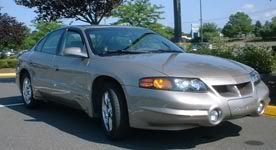 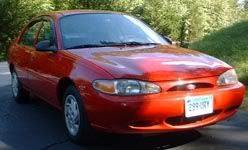
|
|
 |
POST REPLY TO THIS THREAD |
 |
|
|



